
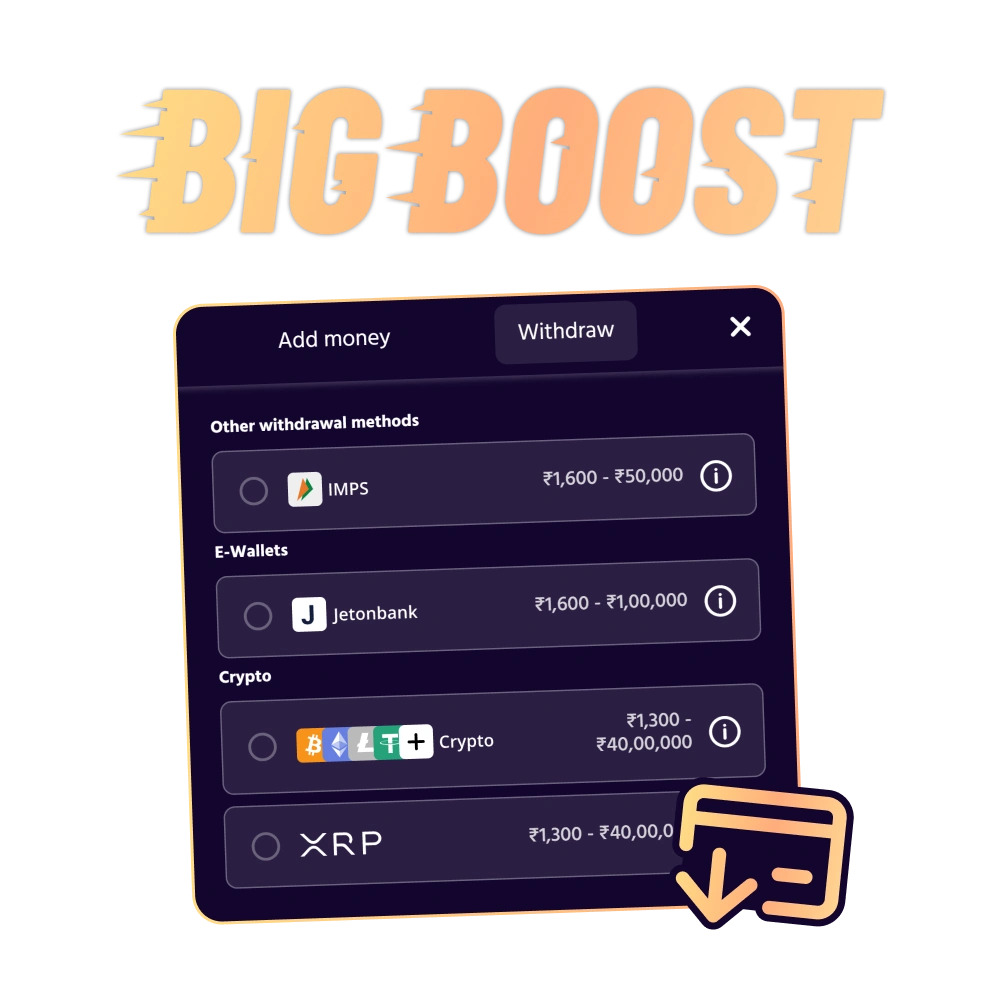
Withdrawals at Big Boost

Big Boost offers Indian players a wide range of payout options including bank transfers, e-wallets like Paytm and PhonePe, cards, and cryptocurrencies such as BTC, ETH, USDT, and USDC. The minimum payout is just ₹500, while high rollers can request up to ₹10 lakh per transaction. Payouts through popular e-wallets process within 24 hours. New players can claim up to ₹1 lakh over their first three deposits and start winning right away.

Withdraw your winnings in few steps at Big Boost.

Available Payout Options at Big Boost

Big Boost supports multiple payment methods for Indian players to cash out their winnings. The platform charges zero fees on all payouts. Minimum payout starts at ₹500, and the maximum allowed per transaction is ₹10 lakh. Most requests process within 24 hours, though bank transfers may take 3-5 business days.

Payment Method Min Amount Max Amount Processing Time Fees
UPI (Paytm, PhonePe) ₹500 ₹10,00,000 0-24 hours ₹0
IMPS ₹500 ₹2,00,000 0-24 hours ₹0
Bank Transfer ₹1,000 ₹10,00,000 3-5 business days ₹0
Visa/Mastercard ₹1,000 ₹5,00,000 24-72 hours ₹0
Bitcoin (BTC) ₹2,000 ₹15,00,000 1-6 hours ₹0
Ethereum (ETH) ₹2,000 ₹15,00,000 1-6 hours ₹0
USDT (TRC-20) ₹1,000 ₹15,00,000 1-6 hours ₹0
USDC ₹1,000 ₹15,00,000 1-6 hours ₹0
Netbanking ₹1,000 ₹5,00,000 24-48 hours ₹0
Skrill ₹1,000 ₹5,00,000 0-24 hours ₹0

How to Cash Out Your Winnings

Cashing out from your gaming account is straightforward once you have verified your identity and met any bonus conditions. You need a confirmed payment method and sufficient balance above the minimum limit. Here’s how to request your payout.

1

Step 1: Log Into Your Account

Visit the platform and sign in using your registered credentials. Navigate to the cashier or banking section from your account dashboard.

2

Step 2: Select the Payout Option

Choose your preferred method from the available options. Make sure the method matches the one you used for deposits, as this speeds up verification.

3

Step 3: Enter the Amount

Specify how much you want to cash out. Ensure the amount falls between ₹500 and ₹10 lakh, depending on your chosen method.

4

Step 4: Confirm Your Request

Review the details including method, amount, and processing time. Submit your request and note the reference number for tracking.

5

Step 5: Wait for Processing

Most requests process within 24 hours. You’ll receive a confirmation email once the funds leave the platform. Check your payment provider for final credit.

Payout Rules and Requirements

Before you request a payout, make sure you understand the platform’s requirements. These rules help maintain security and compliance. Here are the key conditions:

  • Verification Requirement: You must complete identity verification before your first payout. Submit a government-issued ID, proof of address, and payment method confirmation. This process usually takes 24-48 hours.
  • Deposit Method Matching: Funds must return to the same payment method used for deposits. If you deposited via UPI, your payout will go to the same UPI ID. This prevents fraud and ensures compliance.
  • Bonus Wagering: Any active bonus must be fully wagered before you can cash out. Check the bonus terms for rollover requirements. Incomplete wagering will block your request.
  • Minimum Balance: Your account balance must exceed the minimum limit for your chosen method. For most e-wallets, this is ₹500. Bank transfers require at least ₹1,000.
  • Pending Period: First-time payouts may take up to 72 hours for security checks. Subsequent requests process faster, typically within 24 hours. High-value requests above ₹5 lakh may require additional review.

Common Payout Issues and Solutions

Sometimes requests get delayed or rejected. Here are the most common problems and how to fix them:

  • Delayed Processing: If your request exceeds the stated time, check your email for verification requests. The platform may need additional documents. Contact support if no update arrives after 72 hours.
  • Rejected Request: This usually happens due to incomplete verification or mismatched payment details. Ensure your ID documents are clear and your payment method matches your deposit source. Resubmit after correcting the issue.
  • Failed Bank Transfer: Bank rejections occur when account details are incorrect or the bank doesn’t accept gaming transactions. Double-check your IFSC code and account number. Try an alternative method like UPI or e-wallet.
  • Bonus Lock: You cannot cash out while a bonus is active and unwagered. Complete the rollover requirement or forfeit the bonus to unlock your balance. Check the promotions section for progress.
  • Currency Mismatch: Ensure your payment method accepts INR. Crypto wallets should match the network (TRC-20 for USDT, ERC-20 for ETH). Wrong network selection causes permanent loss of funds.

Get Help from Customer Support

If you face any trouble cashing out, the support team is available 24/7 to assist you. Multiple contact options ensure you get help fast:

  • Live Chat: Click the chat icon on the website for instant support. This is the fastest way to resolve urgent issues.
  • Email Support: Send detailed queries to [email protected]. Expect a response within 12-24 hours.

Frequently Asked Questions

How long does verification take?

Identity verification usually completes within 24-48 hours. Submit clear photos of your ID, address proof, and payment method. Delays happen if documents are unclear or expired.

Can I cancel a pending request?

Yes, you can cancel a request before it enters processing. Log into your account, go to transaction history, and select cancel. Once processing starts, cancellation is not possible.

Why was my request rejected?

Rejections occur due to incomplete verification, mismatched payment details, or active bonus conditions. Check your email for the specific reason. Fix the issue and resubmit.

Are there daily or weekly limits?

No daily limits apply, but each transaction has a maximum of ₹10 lakh. High rollers can contact VIP support for higher limits. Weekly processing depends on your payment method.

Do I need to verify every time?

No, verification is a one-time process. However, if you change your payment method or personal details, you may need to verify again. Keep your information updated to avoid delays.

Updated: